I have used Notion for everything from project planning to journaling. And when Notion AI launched, I was excited. Who wouldn’t want a second brain that can summarize, suggest, and even write for you?
But over time, the cracks started to show.
The AI feels too surface-level with complex notes. Collaboration isn’t always smooth. The interface can get overwhelming fast. And honestly, the pricing for what you get? Not always worth it.
So I started testing alternatives.
If you’ve ever felt boxed in by Notion AI or just want a tool that better fits your brain, this guide is for you.
I’ve put together a list of the top 10 Notion AI alternatives in 2026. These tools offer more flexibility, smarter AI, better customization, and in some cases, a much calmer workspace.
How I Chose These Notion AI Alternatives
I didn’t just Google a few tools and throw them into a list. I actually tried these.
Some I tested for weeks. Others I dropped within hours. But every tool that made it into this guide had to meet a few key criteria that matter to me as a real user, not just a reviewer.
Here’s what I looked for:
✅ Simple, Clean Interface
If I need a manual just to take notes, I’m out. These tools needed to feel intuitive from the start, without bloated menus or confusing setups.
✅ Smart, Context-Aware AI
Notion AI is decent at surface-level stuff. But I wanted AI that actually understands what I’m working on, suggests helpful actions, and can answer questions based on my content.
✅ Real Control Over My Data
Privacy matters. Tools that are local-first, transparent about data use, or give me control over how AI handles my notes got a big thumbs up.
✅ Offline Access or Reliable Sync
I work from cafes, planes, and sometimes places with terrible Wi-Fi. If a tool breaks the moment I go offline, that’s a dealbreaker.
✅ Affordable or Worth the Price
I’m happy to pay for value. But some Notion AI pricing just doesn’t add up. I looked for tools with solid free plans, fair pricing, or features that actually justify the cost.
✅ Daily Usability
I wasn’t looking for just cool AI tricks. These tools had to help me think better, plan faster, and get stuff done every single day.
What Are the Top Notion AI Alternatives?
I tried dozens of tools to find better options than Notion AI for notes, projects, and AI‑powered workflows. Based on real use and productivity impact, this is the list I trust most for 2026.
1. NotebookLM by Google
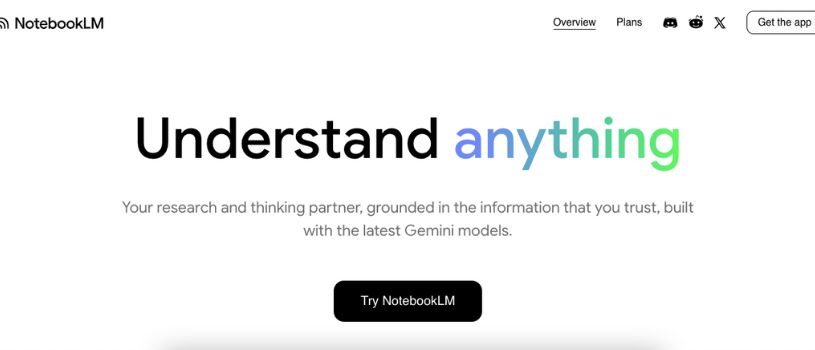
NotebookLM is Google’s AI-powered research and note tool that feels different from traditional note-taking apps. Instead of just storing notes, it lets you upload documents, PDFs, webpages, and other content and then ask questions or generate summaries based on what you provide.
Why it stood out to meWhen I needed something that could understand context deeply and help me make sense of complex source material, NotebookLM became a go-to. It does more than capture text. It reads your content and responds with insights grounded in your sources. That’s huge when you work with research, reports, or dense documents.
Key features
- Upload PDFs, Google Docs, websites, and other files to build a knowledge base
- Ask questions and get AI responses grounded in your own sources
- Audio and video overviews that turn content into digestible summaries
- Flashcards, mind maps, and structured outputs to help with learning and review
Best forStudents, researchers, writers, and knowledge workers who need deep analysis of documents and want a tool that truly understands context.
Price rangeNotebookLM offers a free plan that is powerful enough for most everyday research and study needs, with optional paid tiers for heavier usage and advanced features.
What I noticed in real useUploading source material and then being able to ask targeted questions saved me so much time. Instead of manually summarizing dozens of pages, NotebookLM gives concise answers rooted in the content I provided. It changed how I approach research.
2. Coda AI
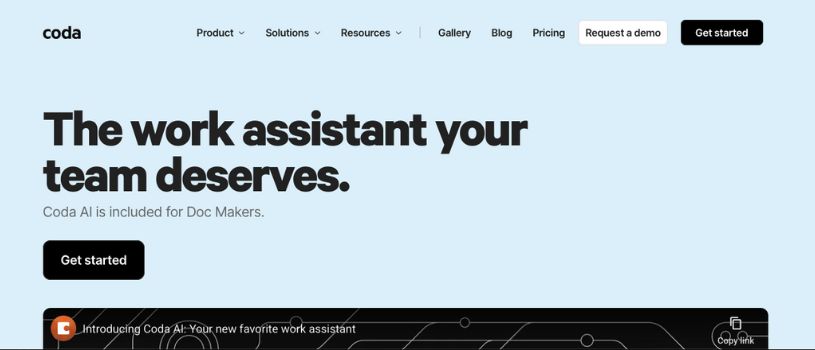
Coda AI is one of the most recommended Notion alternatives because it combines documents, databases, automation, and smart AI features in a single workspace that feels more structured and capable than Notion. Many users rate it as a top replacement for Notion when they need advanced project workflows and deeper data handling.
Why it stood out to meI used Coda AI when I needed something that could hold more than just notes. It lets you build rich tables and set up automations without writing code. Its AI assistant can help draft content, summarize sections of docs, and even assist with analyzing data in tables. That level of flexibility matters when I’m juggling complex project details.
Key features
- AI assistant built into docs to help write, edit, and brainstorm
- Strong table and database functions that feel like a mix of spreadsheet and doc
- Automation support for routine workflows
- Integrations with other tools like Slack, Google Drive, and more
Best forTeams or solo users who want a blend of document writing, process automation, and structured data all in one place.
Price rangeFree tier available with basic features. Paid plans unlock more automation and AI usage.
What I noticed in real useStarting simple is easy, but Coda can scale into very complex setups. That was perfect when Notion felt too limited for deeper workflows.
3. Mem.ai

Mem.ai is a next-generation note-taking tool that tries to think alongside you rather than just store your words. The core idea is simple yet powerful: instead of forcing you to organize everything by hand, Mem surfaces what matters most when you need it.
Why it stood out to meWhen I dumped ideas, notes, and to-dos into Mem, I noticed something cool. It didn’t just hold those bits of text. It remembered them and automatically brought back related info without me hunting for tags or folders. That saved me time and reduced the friction of finding old thoughts.
Key features
- AI-powered contextual recall that brings relevant notes to you mostly automatically
- Natural language search so you can find things by meaning, not just keywords
- Meeting transcriptions, quick captures, and fast note entry for busy workflows
- Automatic linking between related notes without manual tagging
Best forPeople who want effortless organization and a system that helps recall old information without setup.
What I noticed in real useMem feels like having a second brain that prompts memories and insights when I need them, especially when my note collection grows messy or sprawling. It reduced the time I spent organizing and increased the time I spent acting on ideas.
4. Obsidian

Obsidian is a different breed of tool. It’s a local-first knowledge base that stores everything in Markdown files on your device. It doesn’t chase flashy interfaces or collaboration bells and whistles. Instead, it gives you precision control over your notes and connections.
Why it stood out to meI turned to Obsidian when I needed a tool that could ground big ideas and link them in meaningful ways. Instead of being confined to rigid structures, Obsidian lets you build a web of thoughts where notes connect naturally through two-way links and a visual graph view.
Key features
- Stores notes as local Markdown files for full ownership
- Bidirectional linking that creates a connected “network of thoughts”
- Visual graph view that reveals hidden note relationships
- Huge plugin ecosystem to customize functionality for your needs
Best forResearchers, writers, and deep thinkers who want complete control over their knowledge system and data.
What I noticed in real useObsidian made patterns in my thinking visible. As I built more connections between ideas, my understanding of big topics deepened. It requires an intentional approach, but the payoff feels like building a personal knowledge engine.
5. ClickUp
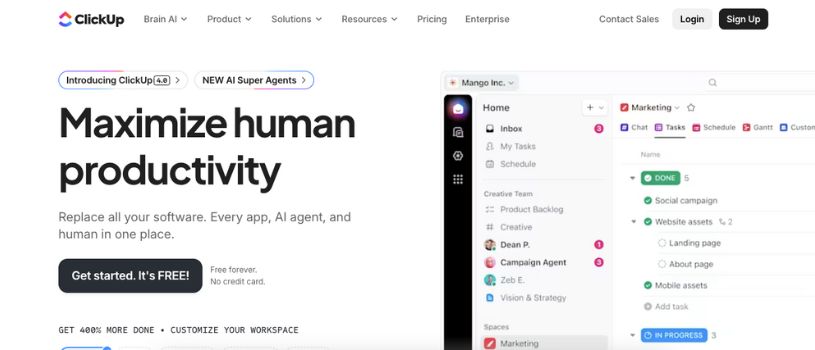
ClickUp is a powerful productivity and project management platform that goes beyond simple note-taking. It lets you manage tasks, docs, goals, workflows, and team collaboration in one place, and it has built-in AI that helps you automate and streamline work. Many users choose ClickUp as a Notion AI alternative because it gives structure and execution that Notion lacks.
Why it stood out to meI started using ClickUp when I wanted something that could manage both planning and doing. Unlike Notion, where you build every workflow yourself, ClickUp gives you ready-made views like lists, boards, and timelines, with AI helping you prioritize and update tasks. It felt like switching from a blank canvas to a whole office suite.
Key features
- Unified workspace for docs, tasks, and goals
- Multiple views (list, board, calendar, timeline) for flexible planning
- AI-assisted task suggestions and automation
- Built-in collaboration and team communication
Best forTeams and professionals who want one place for planning, execution, and AI-enhanced task management without switching tools.
What I noticed in real useClickUp’s strength is its versatility. It handles small personal workflows just as well as complex team plans. I liked how I could switch views depending on the work phase and let AI help clean up or suggest priorities.
6. Airtable

Airtable looks like a spreadsheet but behaves like a powerful database that excels at organizing complex data, projects, and collaborative workflows. If you like Notion’s tables but want something more scalable and visual, Airtable is a standout pick.
Why it stood out to meI reached for Airtable when my projects started to involve structured data like content calendars, inventories, or product planning. Its relational database features make it easy to link records, create views, and track progress in ways that feel more robust than Notion’s basic tables.
Key features
- Spreadsheet interface with database power
- Custom views like grids, galleries, and calendars
- Powerful filtering and grouping for complex data
- Integrations with apps like Slack, email, and calendars
Best forUsers who handle structured information regularly and want a flexible, visual workspace that transforms data into actionable workflows.
What I noticed in real useAirtable made it easy to see patterns in data without a steep learning curve. Building relational links felt natural, and the visual views made team collaboration more transparent.
7. Tana
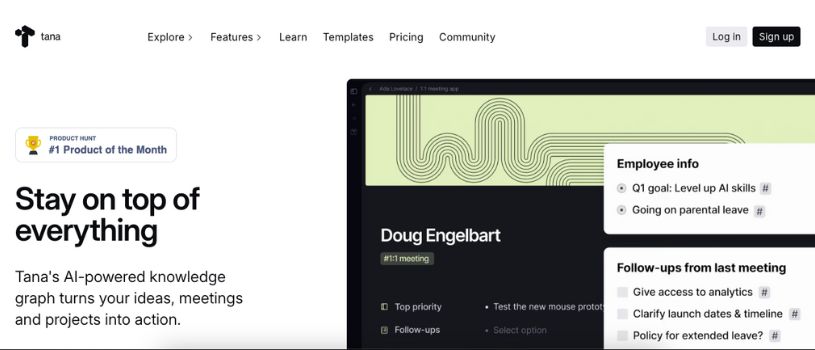
Tana is a refreshing alternative to Notion AI when you want connected thinking instead of rigid pages. It blends daily notes, dynamic tagging, and AI automation into a workspace that feels more like a living memory system than a static notebook.
Why it stood out to meI started using Tana when my ideas and research notes felt scattered. Instead of building databases first, Tana lets me capture thoughts anywhere and add “Supertags” that automatically organize and connect related info. That made it feel much closer to how my brain works compared to filling out templates or tables.
Key features
- Dynamic Supertags that link related content without manual structure
- Knowledge graph view that shows connections between ideas
- Built-in AI for transcribing meetings, summarizing notes, and extracting insights
- Flexible daily notes and live searches that pull information from across your workspace
Best forWriters, researchers, and deep thinkers who want connected knowledge instead of isolated pages.
What I noticed in real useTana made it easy to see how different thoughts fit together without building complex databases upfront. The AI helps turn spoken ideas and meeting transcripts into structured information that’s easier to revisit later.
8. Taskade AI
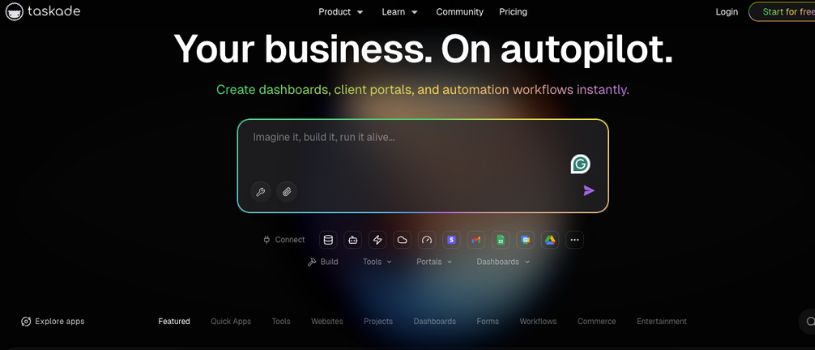
Taskade AI is a productivity hub that combines tasks, notes, and real-time collaboration with built-in AI support. It feels lighter than Notion AI but more action-oriented, especially if you want to turn ideas into tasks quickly and work with others smoothly.
Why it stood out to meI began using Taskade AI when I needed something that bridges thinking and doing without complex setup. Notion is flexible, but Taskade’s AI can generate task lists, draft meeting notes, and outline projects from a simple prompt. It’s fast and feels great for teamwork.
Key features
- AI task generation, brainstorming, and project outlines
- Multiple views like list, board, calendar, and mind map
- Real-time collaboration with edits, comments, and chat
- Workflow templates for quick setup and scaling
Best forTeams and individuals who want AI to help shape and manage work fast, especially in collaborative environments.
What I noticed in real useUsing Taskade AI felt like having a virtual assistant that understands my team’s rhythm. I could type a general goal and watch Taskade turn it into a structured plan with tasks, timelines, and priorities automatically.
9. Asana

Asana is one of the tools I turned to when my work shifted from personal notes to team projects and deadlines. It is designed for task and project management, with a clean layout that helps you track work from start to finish. Users often pick Asana as a Notion AI alternative when they want clearer structure and scheduling without building everything from scratch.
Why it stood out to meI tried Asana when project planning felt messy in Notion. Asana makes it easy to break down big goals into tasks, assign work, set due dates, and then view everything in timelines or calendar views. That visual clarity helped me feel more in control of deadlines and team work.
Key features
- Simple task and project creation
- Multiple views like list, board, and timeline
- Built-in progress tracking and reminders
- Team collaboration with comments and attachments
Best forTeams and individuals who need structured planning, clear timelines, and task accountability.
What I noticed in real useAsana turned chaos into order for me. Instead of scattered to-dos, I had visible deadlines and progress markers that made planning feel intentional and doable.
10. Microsoft OneNote
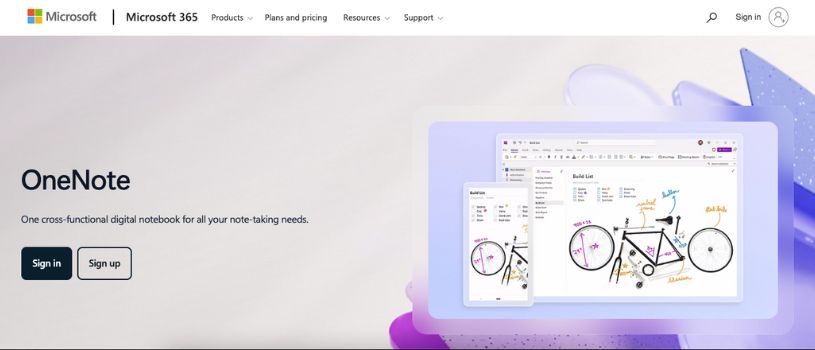
Microsoft OneNote is a note-taking tool I often recommend when someone wants free, easy, and flexible organization without complexity. It works like a digital notebook where you can type anywhere, draw, clip web content, and arrange info in sections and pages. People looking for a simpler alternative to Notion often land here first.
Why it stood out to meI turned to OneNote when I wanted pure note capture without setup barriers. There’s no rigid structure to build. You just start writing, typing, or pasting content anywhere you like. That raw freedom makes it feel like a blank page that adapts to your workflow.
Key features
- Freeform notes and pages
- Section tabs for organizing topics
- Draw, type, or clip content from the web
- Syncs across devices with Microsoft account
Best forUsers who want simple note-taking without complex configuration or project building.
What I noticed in real useOneNote never got in the way. It was especially helpful when I just needed to capture ideas quickly and find them later without worrying about tags or templates.
How to Choose the Best Notion AI Alternative for You
There’s no one-size-fits-all answer here. The best tool for you depends on how you think, how you work, and what you actually need day to day.
After testing all these tools myself, here’s how I’d recommend narrowing it down:
1. Start with your brain, not the features
Ask yourself: Do you prefer structured systems or freeform writing?
If you like flexibility and control, Obsidian or Tana might fit.
If you want to dump thoughts and have AI organize them, Mem.ai or Saner.AI could be better.
2. Define your main goal
What do you actually need the tool to do?
- Task management & execution? → Try ClickUp, Asana, or Taskade AI
- Knowledge building & research? → Look at NotebookLM, Obsidian, or Tana
- Fast capture with AI help? → Test Mem.ai or Saner.AI
- Team collaboration? → Go for ClickUp, Coda AI, or Taskade
- Privacy & offline control? → Stick with Obsidian or Tana
3. Check the pricing (and limits)
Some tools look great—until you hit a paywall or find their AI features limited to premium plans.
Make sure you understand what’s included in the free tier and what upgrades cost.
4. Look at integration and access
Do you need it to connect with Google Calendar? Slack? Work offline?
Coda, ClickUp, and Saner.AI have strong integrations.
Obsidian and OneNote are great for offline-first users.
5. Test how it feels
Don’t just read about features. Open the app. Use it for a few days.
You’ll know pretty quickly if the UI feels right or if it slows you down.
Final Thoughts
Notion AI is powerful, but it’s not perfect for everyone. Whether you need deeper AI assistance, better project tracking, or just a calmer space to think, there’s a tool on this list that can do it better—for your style, your pace, and your brain. The best part? Most of them offer free plans, so you can explore and find the one that actually works for you.
Frequently Asked Questions
What is the best overall Notion AI alternative?
It depends on your workflow. If you need a flexible, all-in-one workspace with strong AI, Coda AI is a solid pick. For personal organization and context-aware assistance, Saner.AI or Mem.ai can be more intuitive. Each tool on this list solves different problems, so the “best” one is the one that fits your needs best.
Which Notion AI alternative is best for teams?
ClickUp, Coda, and Taskade AI are built with collaboration in mind. They offer real-time editing, project views, and AI features that help teams stay aligned without needing to build complex systems from scratch.
Are there any free Notion AI alternatives?
Yes. Most tools listed here offer generous free plans. Mem.ai, NotebookLM, Obsidian, Taskade, and Saner.AI all have free tiers that include core features, and even some AI capabilities. Just be sure to check the limits on AI usage or integrations.
What if I mainly use Notion for taking notes?
If your focus is clean, fast note-taking, OneNote, Mem.ai, or Obsidian may be better suited. They offer simpler ways to capture and organize your thoughts without the setup Notion often requires.
Which tool is best for managing tasks and daily planning?
ClickUp, Taskade AI, and Asana stand out for structured task management. They give you planning tools like timelines, calendars, and recurring tasks, plus AI assistance to help automate or prioritize your work.
Do these tools support offline access?
Some do. Obsidian and OneNote work offline by default. Tana offers partial offline support. Most of the others rely on cloud sync, so you’ll need internet access to use them fully.
Can I migrate my content from Notion to these tools?
Yes, but the process varies. Some tools like Coda and Obsidian allow importing Markdown or CSV files. For others, you may need to copy content manually or use integration tools like Zapier or Make to move your data over.